The short answer
A ChatGPT business profile is the listing a company claims and verifies in OpenAI's Business Hub, in beta since Nov 10, 2026. It lets you correct your details, add product feeds and see mentions and clicks. It won't make ChatGPT recommend you more. Claim it for accurate facts and first-party data, not for rank.
Key takeaways
- OpenAI opened Businesses in ChatGPT in beta on Nov 10, 2026. Claiming is free for now.
- OpenAI says a profile doesn't guarantee visibility or control ChatGPT's independent recommendations.
- The real prize is data: 28 days of mentions, website clicks and discovery topics from ChatGPT itself.
- For an online business, a mention counts only when ChatGPT references your website, not just your name.
- B2B order: profile first, agent later. Claim, align your facts, baseline the insights, then decide on an agent.
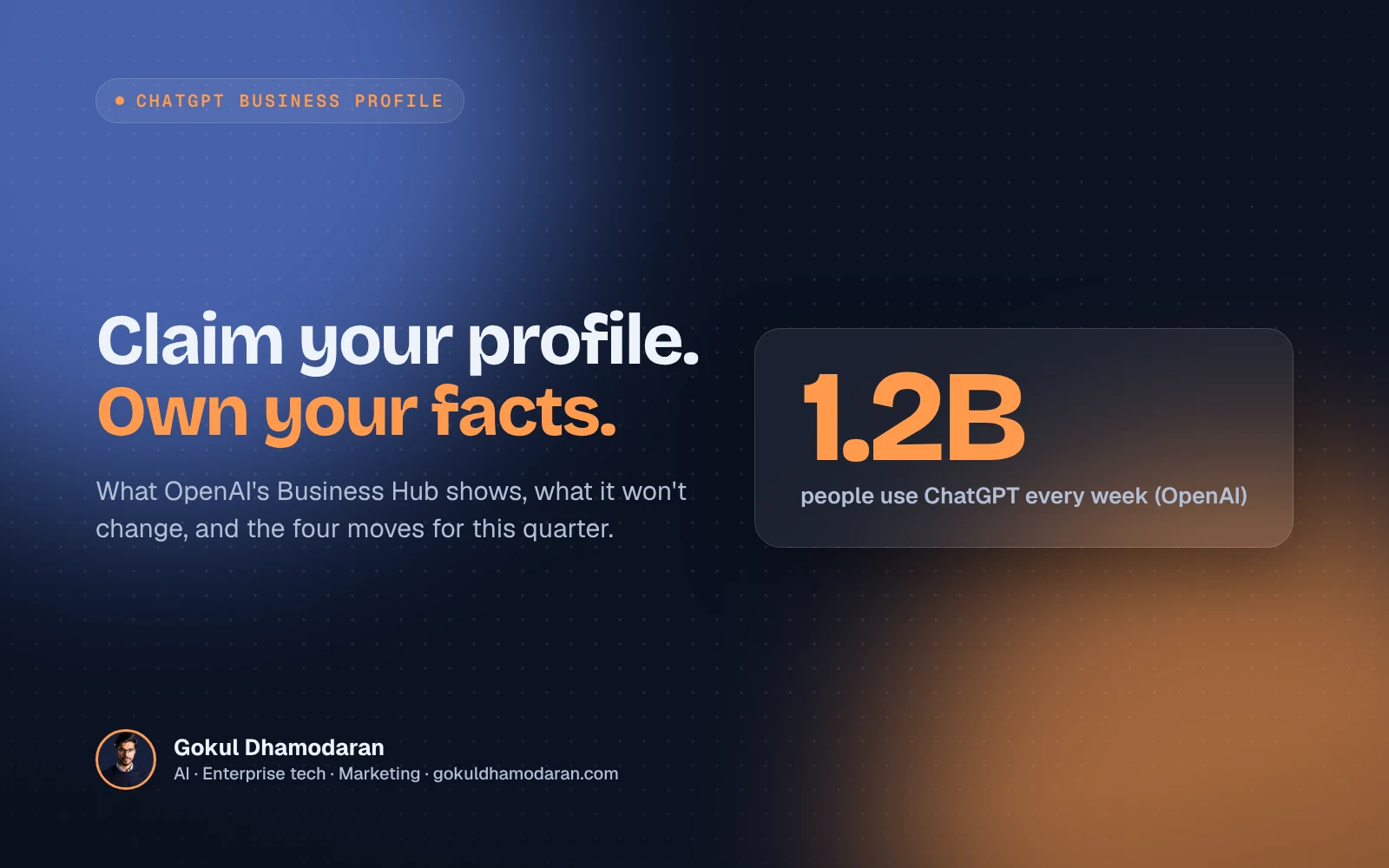
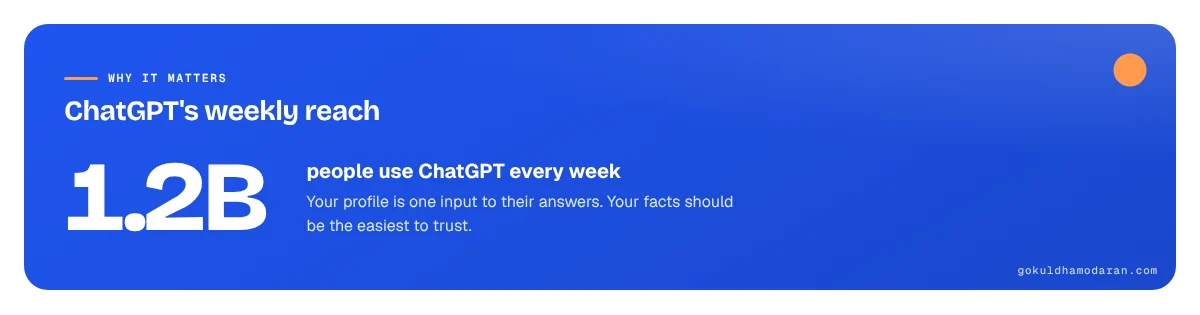
On Nov 10, 2026, OpenAI opened Businesses in ChatGPT in beta. Any eligible company can now claim and verify a profile in the ChatGPT Business Hub, fix its details, add product feeds and see how often ChatGPT cites it. OpenAI says ChatGPT reaches 1.2 billion people every week.
My read: a ChatGPT business profile is the Google Business Profile moment for AI answers, with one big difference. Claiming it won’t move your ranking. What it gives you is accurate facts in the hands of the assistant and the first AI search visibility data that comes from the platform itself, not from a third-party tracker.
Claiming takes an afternoon. The part worth getting right is what the dashboard counts as a mention, because most B2B teams will read that number wrong in week one.
What is a ChatGPT business profile?
A ChatGPT business profile is the verified listing a company manages in OpenAI’s Business Hub at chatgpt.com/business-hub. It holds the details ChatGPT can use when it talks about you: description, category, contact details, photos, location and hours for local businesses, plus optional product feeds with pricing and availability. Owners also get aggregated insights on how ChatGPT mentions them.
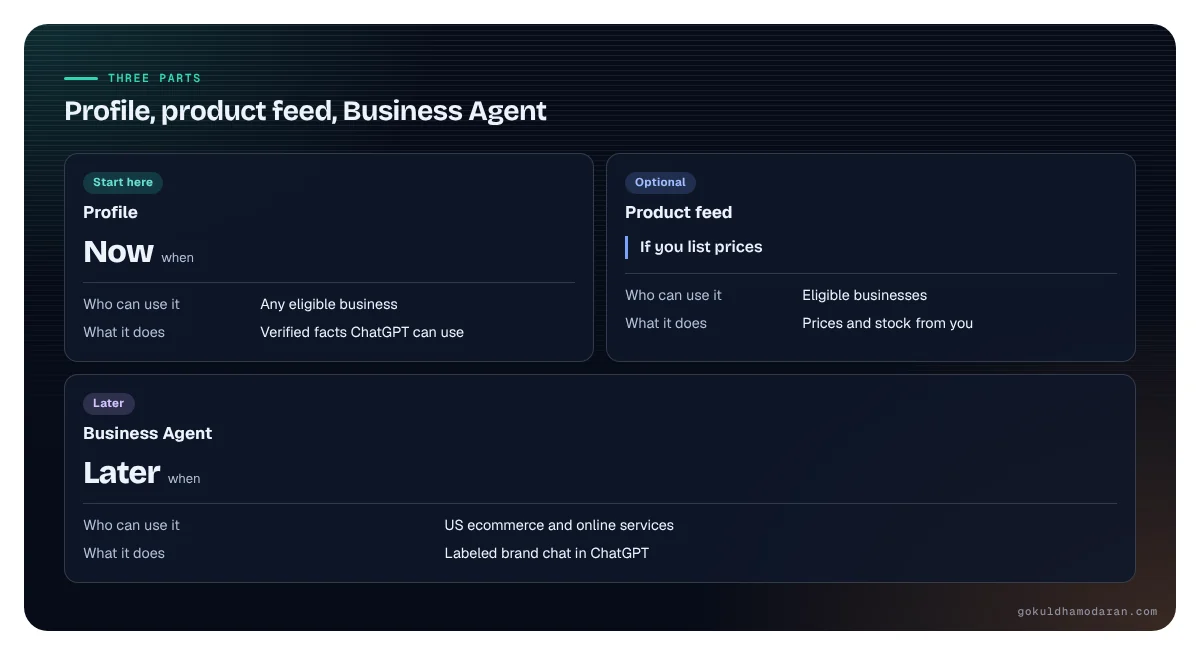
Businesses in ChatGPT has three parts, and it helps to keep them apart:
- The profile. Your verified facts. Open to any eligible business where ChatGPT is available.
- The product feed. A file, hosted URL or Shopify connection with your products, prices and stock. Rankability’s hands-on test found nine required fields, including
item_id,priceandavailability. - The Business Agent. A separate, labeled chat that speaks for your brand. Only eligible US ecommerce and online service businesses with a website can publish one today.
Profile, product feed, Business Agent
Profile
Product feed
Business Agent
gokuldhamodaran.com
In its own test, Rankability found the description is capped at 300 characters and there is no separate logo field: the first photo becomes the cover. Small details, but they decide how your brand reads in an answer.
What changed on Nov 10, and what didn’t?
What changed is control over your facts and access to data. What didn’t change is how ChatGPT picks who to recommend. OpenAI’s help center is blunt about it. Claiming “doesn’t guarantee increased visibility or give you direct control over ChatGPT’s independent recommendations,” according to OpenAI’s setup guide. The same page says advertising doesn’t influence ChatGPT’s independent answers, and that connecting a feed doesn’t guarantee ChatGPT recommends your products.
OpenAI’s monetization lead said much the same to Digiday. Claiming a business “should not have an impact on how frequently it appears,” Benji Shomair told Digiday on Nov 10, though he added that better information could help ChatGPT surface a business in more relevant conversations.
Here is what is new, in plain terms:
- Verified ownership. A blue check labeled as a claimed business, after identity checks.
- Self-service updates. You can correct what ChatGPT knows about you instead of hoping a crawler catches up.
- Product feeds. Prices and stock from you, not from a scraped page.
- Insights. Mentions, website clicks and discovery topics for the past 28 days.
- Business Agents. A brand-run chat, US only for now, which can also be the destination for ChatGPT ads.
Cost: Digiday reports Business Hub and agents are free for now, and OpenAI did not rule out a paid model later. Plan as if the free window is a head start, not a promise.
What do the ChatGPT Business Hub insights measure?
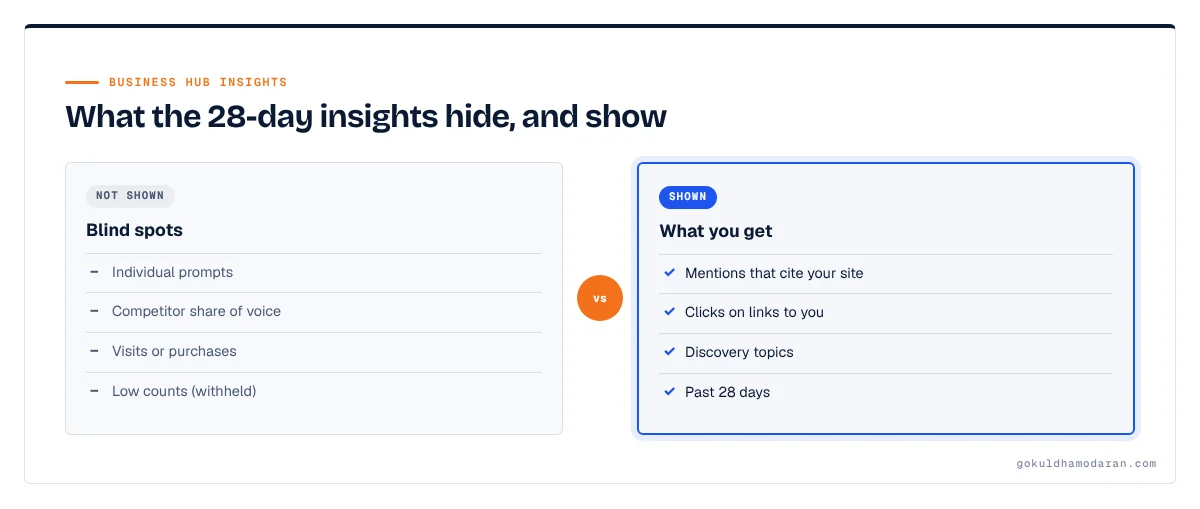
The ChatGPT Business Hub shows aggregated activity for the past 28 days: mentions, website clicks and discovery topics. For an online business, a mention counts only when ChatGPT references your website. Your brand name alone does not count. Clicks are clicks on links from ChatGPT, not completed visits or purchases. You never see individual prompts or conversations.
That definition matters more for B2B than anything else in the launch. If ChatGPT talks about your category and names you, but cites an analyst page or a review site instead of your domain, that won’t show as your mention. So the number measures how often your own site is the source, which is the thing generative engine optimization work is meant to move.
What the 28-day insights hide, and show
Blind spots
- Individual prompts
- Competitor share of voice
- Visits or purchases
- Low counts (withheld)
What you get
- Mentions that cite your site
- Clicks on links to you
- Discovery topics
- Past 28 days
gokuldhamodaran.com
Know the limits before you put this number in a board deck:
- No share of voice. A spokesperson told Digiday share of voice isn’t part of this beta, so you can’t see competitors.
- Thresholds. Low counts may be withheld for privacy. A blank tile is not the same as zero.
- Short memory. Botify reports there is no export, so record the numbers yourself each month if you want a trend.
- Clicks, not sessions. Match them against your analytics referral traffic from chatgpt.com before you trust either.
Even with those limits, this is the first AI search visibility data that comes from the assistant itself. Every tracker you buy today estimates by running sample prompts. Use the Business Hub number as your ground truth and the tracker as your competitive view.
How do you claim your business in ChatGPT?
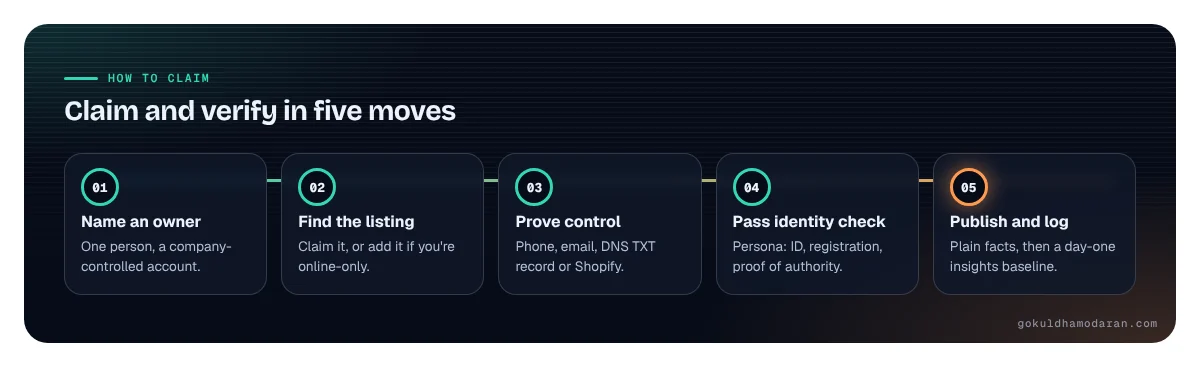
You claim your business in ChatGPT by signing in to Business Hub, finding or adding your listing, proving control through your phone, email, DNS or Shopify store, and then passing a Persona identity check. Only after that check can you publish changes, connect a feed, view insights or build an agent. The whole flow takes one owner and a few approvals.
Here are the seven steps I would run, in order:
- Pick one owner. Someone in growth or digital who already owns your Google Business Profile and website facts. Not an intern, not an agency login nobody can recover.
- Use a company account. Sign in with a shared, company-controlled identity so the profile doesn’t leave when a person does.
- Find or add the listing. Local stores and restaurants can only claim an existing US listing today. Online businesses may see an option to add one that is missing.
- Prove control. OpenAI accepts a code by SMS or call to the business phone, a code to a business email, a TXT record on your domain, or a Shopify login. For most B2B teams, DNS is the cleanest: loop in IT early.
- Pass identity verification. Persona may ask for a government ID, business registration details and proof that you can act for the company. Decide in advance whose ID this is.
- Write the profile like a source, not an ad. One category, a plain description that says who you serve and what you do, the same phone and URL as your site. Botify notes a published profile cannot be deleted, so get it right first.
- Record your baseline. Screenshot the 28-day insights on day one and set a monthly reminder to log them.
Claim and verify in five moves
- 01Name an ownerOne person, a company-controlled account.
- 02Find the listingClaim it, or add it if you're online-only.
- 03Prove controlPhone, email, DNS TXT record or Shopify.
- 04Pass identity checkPersona: ID, registration, proof of authority.
- 05Publish and logPlain facts, then a day-one insights baseline.
gokuldhamodaran.com
Enterprise customers and existing ChatGPT advertisers can also claim through their OpenAI representative, and Shopify merchants can connect their store from either side.
Should a B2B company publish one of the ChatGPT Business Agents?
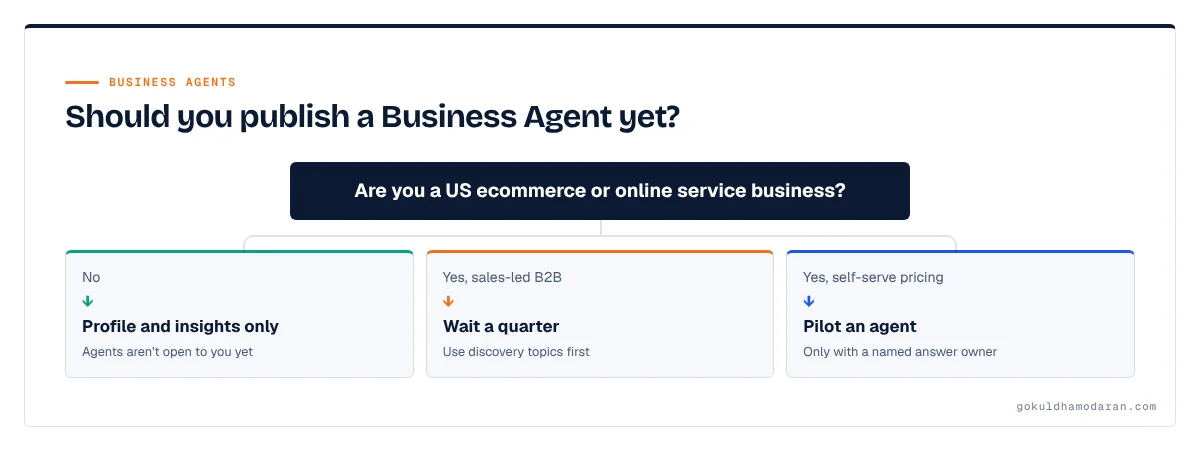
Most B2B companies should not publish a Business Agent yet. ChatGPT Business Agents are open only to eligible US ecommerce and online service businesses with a website. They can explain products and policies and link to your site, but they cannot complete purchases, make bookings or check orders. For a long B2B sale, that adds risk without much reward in the first quarter.
The agent is built from the instructions and product feed you supply. Shomair told Digiday that companies can’t bring their own agents, and what a customer said before reaching your agent stays with OpenAI. You get themes, not transcripts. Each agent chat is clearly labeled and separate from the user’s main ChatGPT conversation.
Should you publish a Business Agent yet?
Are you a US ecommerce or online service business?
- NoProfile and insights onlyAgents aren't open to you yet
- Yes, sales-led B2BWait a quarterUse discovery topics first
- Yes, self-serve pricingPilot an agentOnly with a named answer owner
gokuldhamodaran.com
The harder question is ownership. An agent that speaks for your brand is making claims about pricing, features and fit. Somebody has to approve that copy the way legal approves a pricing page. Before you publish, answer three things:
- Who writes and approves the agent’s instructions?
- Which product facts is it allowed to state, and from which source of truth?
- Who reviews the themes each month and fixes wrong answers?
If those answers are fuzzy, wait. A product-led SaaS company with self-serve pricing is the exception: its buyers already expect quick answers, and the feed can carry real plans and prices.
ChatGPT business profile vs Google Business Profile
The comparison is useful, but only up to a point. Both let you claim, verify and correct your facts. Both show you activity data. The difference is how much the listing drives the result. In Google Maps, the profile is the result. In ChatGPT, the profile is one input to an answer that OpenAI says stays independent.
ChatGPT's weekly reach
people use ChatGPT every week
Your profile is one input to their answers. Your facts should be the easiest to trust.
gokuldhamodaran.com
That changes where the work goes. With a ChatGPT business profile, the listing is table stakes, and the ranking work stays where it was: clear pages that answer real buyer questions, consistent facts across your site, profiles and feeds, and third-party pages that describe you the same way. If your site says you serve “mid-market manufacturers” and your profile says “enterprise ERP teams”, the assistant has to guess. It shouldn’t have to.
The SEO and content program I supported contributed to a 140% increase in digital impressions. The lesson I took from it applies here: search systems reward the source that is easiest to trust and quote. AI answers raise the bar on that, they don’t replace it.
What should B2B growth teams set up this quarter?
B2B growth teams should claim and verify the profile in December, align every public fact by January, log a monthly insights baseline, and decide on a Business Agent only after a quarter of data. I call it Claim, Align, Measure, Decide. It costs little and gives you real data before your competitors have any.
Claim, Align, Measure, Decide
- 1Beta opensBusiness Hub goes live
- 2ClaimVerify and publish
- 3AlignOne fact sheet, everywhere
- 4MeasureLog mentions, clicks, topics
- 5DecideAgent, ads or more content
gokuldhamodaran.com
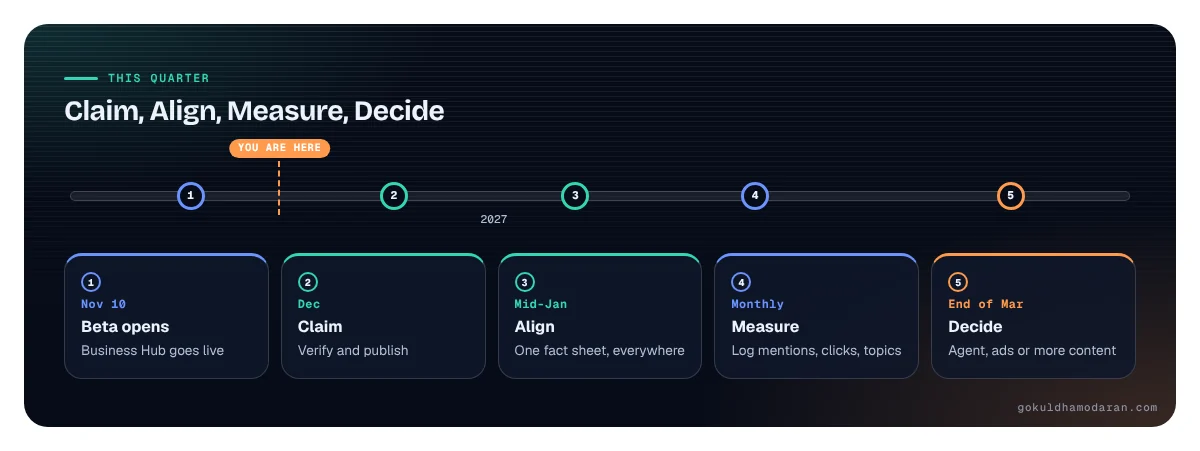
- Claim (December). Owner named, company account, domain verified, identity check passed, profile published.
- Align (by mid-January). One fact sheet for company name, category, description, URL, phone and product names. Push it to the site, the ChatGPT profile, your Google Business Profile, LinkedIn page and review sites.
- Measure (monthly). Log mentions, clicks and discovery topics next to chatgpt.com referral traffic and any AI visibility tracker you already pay for.
- Decide (end of March). Look at which discovery topics bring clicks. If they match pages you sell from, consider an agent or a sponsored placement. If not, fix the content first.
Discovery topics are the sleeper feature. They tell you which themes lead ChatGPT to cite your site. Feed those straight into your content plan and your account-based marketing program, because they are the questions buyers ask before they ever fill in a form.
How does a ChatGPT business profile fit generative engine optimization?
A ChatGPT business profile is the verified-facts layer of generative engine optimization. It doesn’t replace the content, technical and reputation work that earns citations. It makes sure the basics an assistant states about you are right, and it gives you a platform-reported number to judge the rest of that work against.
Think of AI search visibility as three layers, each with its own owner:
- Facts. Who you are, what you sell, who you serve. The profile, your about page and your structured data. Owner: digital or web.
- Answers. Pages that answer the questions buyers ask, plainly enough to quote. Owner: content and product marketing.
- Reputation. What analysts, customers, partners and your own leaders say about you elsewhere. Owner: comms and the executive team.
Until now, teams judged all three with prompt trackers that sample answers. Businesses in ChatGPT adds one honest number to that picture: how often ChatGPT actually cites your website. If a content push doesn’t move mentions or clicks within a quarter, that is useful to know early.
A practical tip for the description: write it the way a buyer would describe you to a peer. “Cloud ERP for mid-market food manufacturers in the US and Canada” tells an assistant far more than “the leading platform for modern operations.”
Mistakes to avoid with Businesses in ChatGPT
- Treating the claim as a ranking tactic. OpenAI says it isn’t one. Sell it internally as accuracy and data.
- Letting an agency own the login. Keep the account and the verified identity inside the company.
- Writing ad copy in the description. 300 characters of plain facts beats 300 characters of claims an assistant can’t use.
- Reading a blank tile as zero. Low volumes are withheld. Wait for a full 28 days before you judge.
- Publishing an agent with no owner. If nobody reviews its answers, nobody catches the wrong price.
- Forgetting the people side. AI answers still lean on what others say about you. A clear, consistent founder or executive presence helps, which is why personal branding on LinkedIn for tech leaders belongs in the same plan.
Assistants are becoming a front door for software buying, a shift I unpack in will AI replace SaaS. A ChatGPT business profile won’t win that door for you. It does make sure that when ChatGPT talks about you, it has your facts, and that you can finally see how often it does.
Signal, not noise. If you want the moves like this as they happen, the Leading Indicator newsletter covers them every Friday.
Frequently asked questions
Is a ChatGPT business profile free?
Yes, for now. Digiday reported on Nov 10, 2026 that Business Hub and Business Agents are free during the beta, and OpenAI did not rule out a paid model later. Claiming a profile does not require a ChatGPT Ads account or an Enterprise agreement. Advertising is a separate product with its own costs.
Does claiming my business in ChatGPT improve my ranking?
No. OpenAI's help center says claiming does not guarantee more visibility or give you control over ChatGPT's independent recommendations, and that advertising does not influence its answers. The benefit is accurate facts, product data and first-party insights. Rankings still depend on clear, trusted content about you across the web.
Can B2B and SaaS companies claim a ChatGPT business profile?
Yes, if they own or are authorized to represent the business and it is eligible where ChatGPT is available. Online businesses may add a listing that is missing. Business Agents are narrower: only eligible US ecommerce and online service businesses with a website can publish one, and they must meet OpenAI's Business Agents Policy.
What counts as a mention in ChatGPT Business Hub insights?
For an online business, a mention counts when ChatGPT references your website. Saying your brand name alone does not count. For a local business, it counts when ChatGPT shows a result for that location. Insights cover the past 28 days and never include individual prompts or conversations.
How do I verify my business in ChatGPT?
First prove control with a code by SMS or call to the business phone, a code to a business email, a TXT record on your domain or a Shopify login. Then pass a Persona identity check, which may ask for a government ID, registration details and proof of authority, before you can publish changes or see insights.
Sources
- OpenAI: Introducing Businesses in ChatGPT (Nov 10, 2026)
- OpenAI Help Center: Setting up your business on ChatGPT (Nov 2026)
- Digiday: OpenAI's new business agents give brands a free way into the conversation (Nov 10, 2026)
- Rankability: ChatGPT Business Profiles, The Complete Guide (Nov 11, 2026)
- Botify: Intro to ChatGPT Business Profile, FAQs and actions for brands (Nov 12, 2026)

Gokul Dhamodaran
I turn what is happening at the AI frontier into what it means for enterprise systems, and I build AI products myself (Euliv Analytics, Vantage). I write Leading Indicator every Friday: the AI and enterprise tech moves that matter, and what they mean for you.
Views are my own and do not represent any employer or client. Graphics are original; sources are linked.